

Who this affects: This security alert concerns website owners using DebugBear’s Real User Monitoring script.
DebugBear told customers to remove its Core Web Vitals monitoring script. Site owners should also check exposed accounts and unauthorized changes.
If your website uses DebugBear’s Real User Monitoring script to track Core Web Vitals, remove it now. The company issued that instruction on October 29 after reporting a security incident involving its infrastructure.
Example of the embed code to remove. The script ID varies by site:
<script
  async
  src="https://cdn.debugbear.com/YOUR_SCRIPT_ID.js"
></script>
SEO teams should flag this to their development and security teams, who should remove the script and investigate any unauthorized access or changes made while it was active.
What Happened
In a follow-up update, DebugBear said attackers compromised its DNS records through its domain registrar. DebugBear said its initial investigation showed that the attack targeted one customer’s website. It reported no indication that its internal systems had been compromised.
In the same update, DebugBear said it could not receive email sent to its domain. Customers can follow updates on DebugBear’s X account.
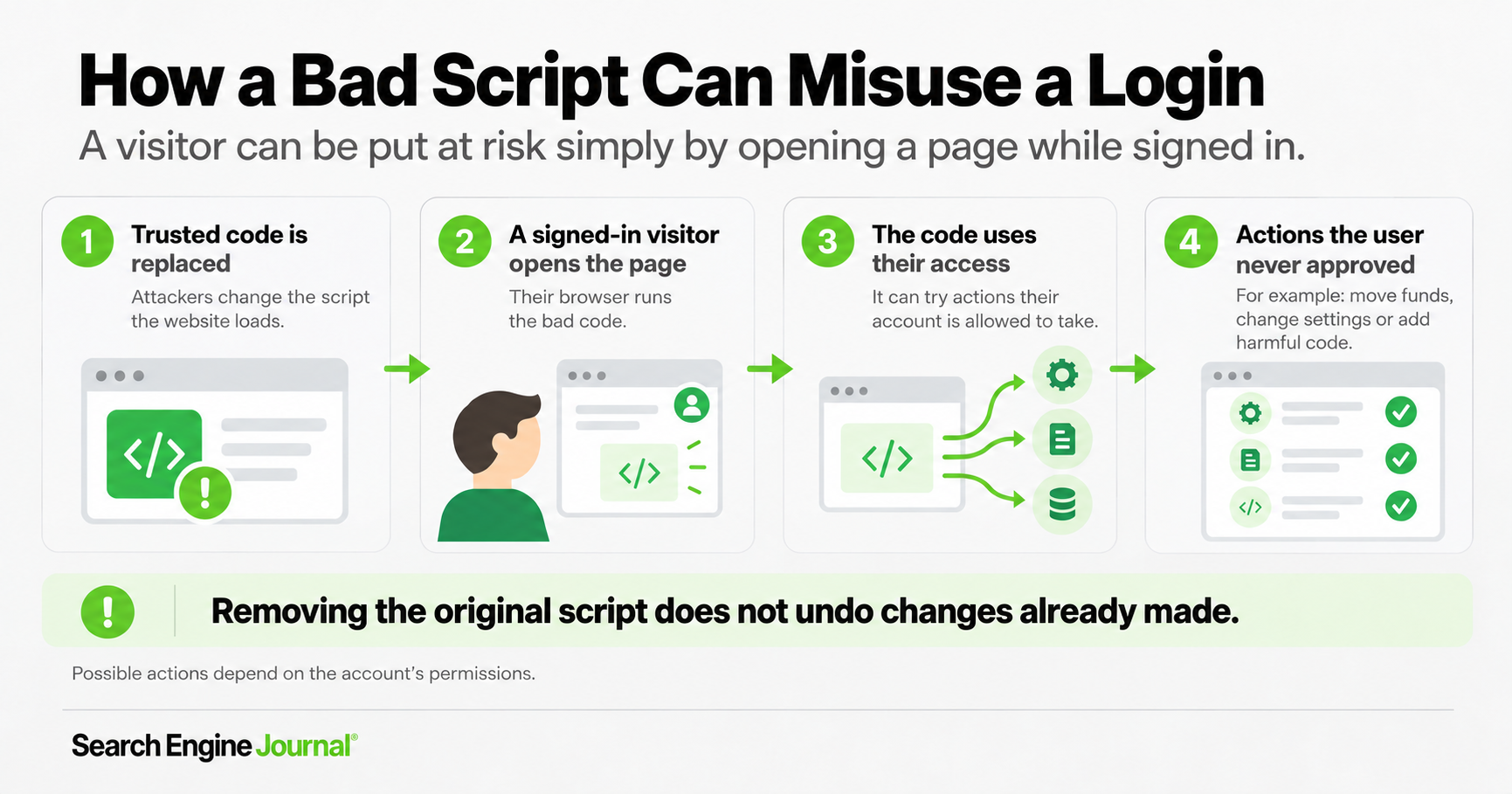
Cybersecurity firm Hudson Rock’s analysis found malicious JavaScript at a DebugBear script URL used by Polymarket on October 29. The code sought the trading client already available in a logged-in browser. Polymarket’s October 30 incident report confirmed that the script sold positions and moved funds from some users’ wallets. It used the access a signed-in visitor already had and did not need the user’s password.
That is the concern for other site owners: what could malicious code do with the permissions of a visitor who is already signed in?
What Site Owners Using DebugBear Should Do Now
I would have the development and security teams take these steps:
- Remove the DebugBear Real User Monitoring embed immediately. Check templates, plugins and tag managers, clear cached pages, and verify the script no longer loads.
- Invalidate exposed sessions and reset passwords. Start with administrators and other privileged users who loaded affected pages. Revoke potentially exposed API credentials, too. If you cannot establish which system users were exposed, widen the reset. Confirm that old sessions are rejected because changing a password may not invalidate existing sessions.
- Check for unauthorized changes and persistence. Review account creation, permission changes, tag-manager history, templates, plugins and injected scripts against a known clean version. Investigate whether attackers gained access to your systems and planted a backdoor for later access. These are checks to perform, not confirmed findings at other customers.
- Find affected accounts and undo unauthorized changes. Have your development and security teams review logs for unusual logins, new accounts, changed files and unexpected transactions while the script was active. Use the malicious-code indicators in The Layman Security’s analysis to guide the search. Investigate suspicious activity, revoke unauthorized access and reverse confirmed malicious changes.
- Put a compromised site into maintenance mode. If you confirm a compromise, ask your development team to isolate the affected site and show a static maintenance page with an HTTP 503 response. You can do this yourself if you manage the site. Have your security team clean up the site or restore a known clean backup. Verify that malicious code and backdoors are gone before bringing the site back online.
Risks for Other Websites
The retrieved payload targeted Polymarket’s trading accounts. Attackers used the compromised DebugBear script to reach this high-value target and stole funds. Other high-value websites may have been targeted as well. It is not yet clear whether other DebugBear customers also received malicious code.
Removing the monitoring tag prevents new loads. It does not reverse unauthorized actions or remove anything an attacker may already have planted.
See also: AI Is Changing Website Security. Here’s What SEO Teams Should Know
Featured Image: Song_about_summer/Shutterstock
