
Websites running Optimizely Web Experimentation served malicious JavaScript to visitors on Nov. 16 after an attacker added it to their projects inside Optimizely. The code swapped crypto wallet addresses, looked for payment cards typed into sites’ own forms, and loaded exploit kits aimed at iPhones and iPads running older versions of iOS.
Scott Helme, founder of Report URI, a company that sells tools for monitoring the scripts that run on websites, reported finding the code in snippets belonging to 178 organizations, including Zoom, the BBC, CNN, Salesforce and GitLab.
Optimizely’s status page says an unauthorized party “exploited a vulnerability in Experimentation” to add malicious JavaScript to some customer projects. In a statement to BleepingComputer, the company said the vulnerability was “in the Experimentation account signup flow” and that it has notified all affected customers. Teams running Optimizely Web have checks to make inside their own accounts, starting with every project’s custom code and everyone who can edit it, according to Helme.
How The Code Reached Customer Sites
The way Optimizely Web works is by having each client load a JavaScript snippet hosted on Optimizely’s Content Delivery Network (CDN). In addition to the client-specific experiment data, this snippet can have an optional Project JavaScript section which allows clients to input their own custom JavaScript that will run with every page load.
Report URI found that the hacker had created malicious code within the Project JavaScript section but left everything else about the script intact; thus, even though the malicious code was present, the script still came from cdn.optimizely.com, a domain that every affected website already trusted. Affected were also scripts that clients served from their own domains, as well as those for optimizely.com and login.optimizely.com.
Optimizely’s statement to BleepingComputer says the company has “blocked access to the vulnerable path and deployed a fix” and has “ended active sessions, revoked tokens, and reset access for affected user accounts.”
What The Injected Code Did
Helme found that the inserted code would load a second script which would replace cryptocurrency wallet addresses with the attacker’s. Starting at 1:43 p.m. UTC, it would watch the website’s own form fields for credit card information, expiration date and CVV, and attempt to submit this information to the attacker after receiving all three. Credit card information entered via hosted payment iframes (such as Stripe and Adyen) was outside the script’s reach.
When the script substituted an address next to terms like wallet or payment, it would also attempt to send the webpage URL, non-HttpOnly marked cookies and a screenshot of the webpage to the attacker’s server. For both iPhone and iPad users, the script would also load the Coruna and DarkSword exploit kits. The total amount received by the attacker’s wallets was approximately $7,040 by 7:25 p.m. UTC on Nov. 16. Report URI cannot determine how many cards, cookies or devices were compromised.
Helme’s team reviewed a total of 1,611 Optimizely snippet files, most of which came from Report URI’s own crawl data; 188 contained malicious code. Helme believes the actual number is likely greater than 188. Report URI first saw the code in a snippet on Nov. 16 at 4:21 a.m. UTC, and all of the infected files were clean as of 11:11 p.m. UTC the same day.
Why Content Security Policies Mostly Didn’t Stop It
The Content Security Policy (CSP), as a header, tells the browser the scripts that a website can use (the script-src section) and to which locations it may transmit data (the connect-src section). Report URI then compared those policies for the affected organizations’ sites against those required by the malicious code. Out of the total of 159 organizations that were reviewed, 68 had no Content Security Policy at all and 50 did have a Content Security Policy that permitted both the malicious code and transmission of sensitive user information.
Seventeen organizations permitted the malicious code to execute, but prevented it from transmitting the user’s information due to restrictions placed upon their connect-src directives. However, this did not prevent the malicious actor from substituting the intended recipient’s wallet address with the attacker’s. Additionally, 24 of the organizations, or 15%, completely blocked execution of the malicious code, and they differed from the other organizations studied in having a restrictive script-src directive.
Helme wrote that listing Optimizely’s domain name within an organization’s Content Security Policy does not provide protection because the malicious code originated from that same domain. A common Content Security Policy setting, 'strict-dynamic', permits access to be granted to the malicious code if it is inserted into the content via the Optimizely snippet. Likewise, an 'unsafe-eval' setting allows an inline version of the malicious code to be executed when access to the original version has been denied.
Optimizely’s Content Security Policy help page lists 'strict-dynamic' in the recommended script-src line. Certain Optimizely features such as audiences with custom JavaScript conditions are unavailable unless 'unsafe-eval' is used, and the page’s full sample Content Security Policy includes 'unsafe-eval'.
What To Check In Optimizely
Helme says the Project JavaScript in all of the Optimizely Web customer projects and the custom JavaScript in their experiments should be opened to find 1688360.cc, atob( and any other scripts that were written by someone other than the development team. You also need to review who has write access among your users, API tokens and integrations and then rotate your credentials.
Helme says that if your site uses card fields in its own forms, you will want to treat as possibly exposed all cards that were entered into your site on Nov. 16. You will also want to rotate any session token or secret that is stored in a cookie not marked HttpOnly.
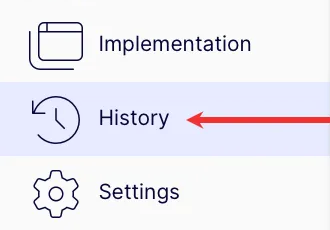
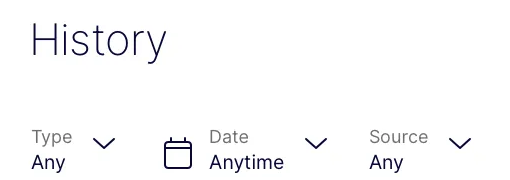
The change history page from Optimizely says that each project’s History logs every Project JavaScript change and that you can filter the log entries based upon how they were made (via the REST API or via the Web Experimentation interface). There are no steps listed for customers on the status page.
Optimizely’s documentation example below shows the History navigation item and the Type, Date and Source filters.
Why This Matters
Project JavaScript is run on every page that loads an Optimizely snippet, so this attack was able to hit visitors without changing anything on the affected sites’ own code. The change sat in customers’ Optimizely projects, which put your Optimizely account (which includes who can edit Project JavaScript and what API tokens exist) on the same audit list as your site.
Adding a vendor’s domain to an allowlist did nothing against code served from that domain. In Report URI’s results, the 24 organizations that blocked the code had a script-src listing limited to only the hosts they needed. Where the code still ran, a connect-src limit on where pages could send data kept card, cookie and screenshot data from leaving.
Looking Ahead
Optimizely told BleepingComputer it’s continuing to investigate and will publish updates on its status page, which listed the incident as Monitoring on the morning of Nov. 17. Its status page, X post and statement don’t say how many customer projects were affected or how a flaw in the signup flow let the attacker change existing customer projects. Until they do, the checks inside the account are the ones teams can run themselves.
Featured Image: KaterinaDdesign/Shutterstock
